Forward the advance. It's on everyone's phone.
Send Kippy the advance email, the hotel confirmation or the flight. It lands on the right day as a card, and everyone on the tour has it in their pocket.
Forward it. Check it. It's on the schedule.
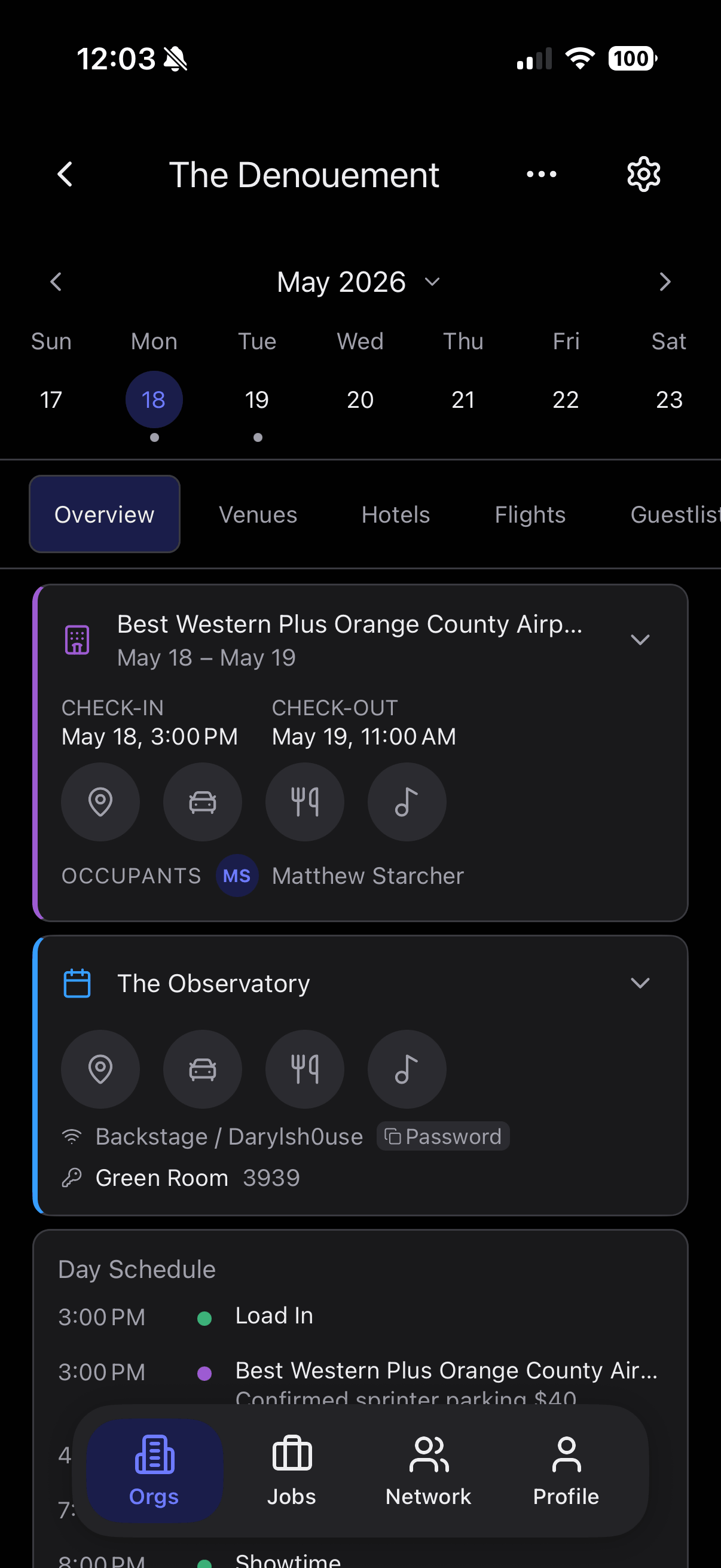
No more digging back through the thread for a flight number. Send the confirmation to Kippy and it comes back as a card on the right day.
- 1Forward the email to import@usekippy.com, straight from your inbox.
- 2Review what Kippy found. Nothing goes on the schedule until you say so.
- 3It's on the day, with the flight, times and confirmation number where your crew can see them.
Advance it once. Everyone has it.
You already get the advance by email. Forward it, and you stop retyping it into day sheets and group texts.
- Forward, upload or snap a photo. Advance emails, hotel and flight confirmations, spreadsheets and printed day sheets all become cards on the right day.
- Nothing goes out until you check it. Review what Kippy found and fix anything before your crew sees it.
- Choose who sees what. Invite the crew, put people in groups, and keep the band's hotel off the local crew's phones.
- Change it, and they know. Move a time and the people on that show get a notification, so you are not the one texting everybody.
Running a tour with a crew is Kippy Pro. See pricing.
Your day, on your phone. Free.
Got an invite? Install Kippy or open it on the web, sign up with the email it was sent to, and the tour is waiting for you. No digging back through an email thread for the load-in time.
- The whole day in order. Venue, hotel, travel and run of show, stacked the way you will live it.
- Times are local to where it happens. Doors in Houston read in Houston time, and a flight shows each airport's own clock, so nothing shifts when you land.
- A notification when something changes, and a switch for each kind you would rather not get.
- Free for everyone invited. Read the schedule, open shared documents and request guestlist spots without paying.
Find crew. Find work.
Need to cover a show? Share the opening with your network, the people you've actually worked with, and decide who can pass it on. Looking yourself? See what your network sends your way. It's your circle, not a public job board.
Frequently Asked Questions
How does Kippy build my schedule?
Forward or CC Kippy on an email, upload a spreadsheet or PDF, or snap a photo of a day sheet. Kippy reads the venue, hotel, travel, and run-of-show details and lays them out as cards on the right day. You review and edit anything that needs a tweak.
Is Kippy free for my crew?
Yes. Anyone invited to an organization joins free: they read the schedule, open shared documents, and request guestlist spots at no cost. Only the person running the tour or event pays.
What kinds of documents can Kippy read?
Advance emails, day sheets, hotel confirmations, flight itineraries, ground transport PDFs, screenshots, and photos you snap on your phone of a printed sheet or whiteboard. If it has dates, addresses, and times, Kippy will pull them out.
How do job postings work?
It's your circle, not a public job board. When you need to cover a show or fill a role, you post the opening to your network, the people you've actually worked with, and decide whether they can pass it along to theirs.
Does Kippy work for one-off events, or just tours?
Both. A single festival date, a corporate event, a weekend run, or a full tour all work the same way: Kippy lays each day out on its own and stacks them in order.
I got an invite. What do I do?
Install the Kippy app on your iPhone or Android phone, or open app.usekippy.com, and sign up with the email address the invite was sent to. The invitation is waiting when you sign in: tap Accept and the tour's schedule is on your phone. It costs nothing. More in Support.